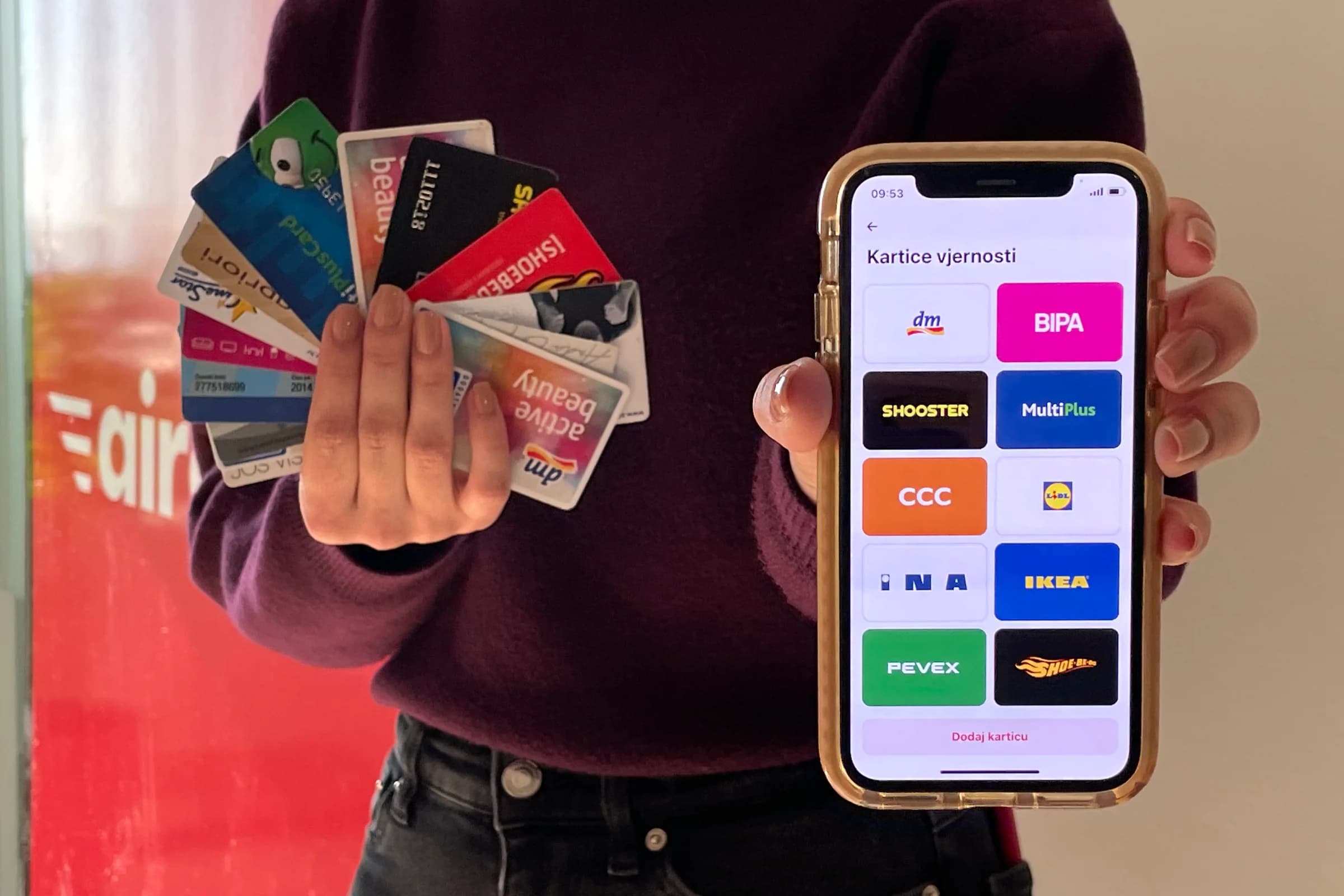
With the Aircash app, your loyalty cards are always at your fingertips, ready for a discount whenever you need them. No more searching through your bag or getting frustrated at the checkout.
Standing in line, impatient, and your cards are nowhere to be found
How many times have you wanted to pay quickly and get out of the crowd, only for the cashier to ask if you have a loyalty card? Of course, you have it - somewhere in your wallet, bag, or another jacket. And then you give up because you don’t feel like searching. Later, you realize that discount would have come in handy…but it’s already too late.
With the Aircash app, those situations are a thing of the past.
How to add a loyalty card in Aircash?
In just a few clicks, you can store all the loyalty cards you use in your Aircash app:
Open the Aircash app
In the menu, find "Marketplace" > "Loyalty Cards"
Click "Add new card"
Select your card from the list and scan the barcode
That’s it—your loyalty card is now digital and ready to use. At the checkout, simply show the barcode from the app and the cashier will scan it from your phone screen. No more searching or missed discounts.
Everything in one place, without hassle or frustration
You’ll never forget your cards, lose them, or leave them at home again. Aircash lets you:
Organize all your loyalty cards in one place
Save space in your wallet
Use every possible discount whenever and wherever you shop
Who knows, maybe your favorite piece of clothing is on sale with a loyalty card right now. And with Aircash, you always have it with you.
With the Aircash app, everything is simpler and faster.