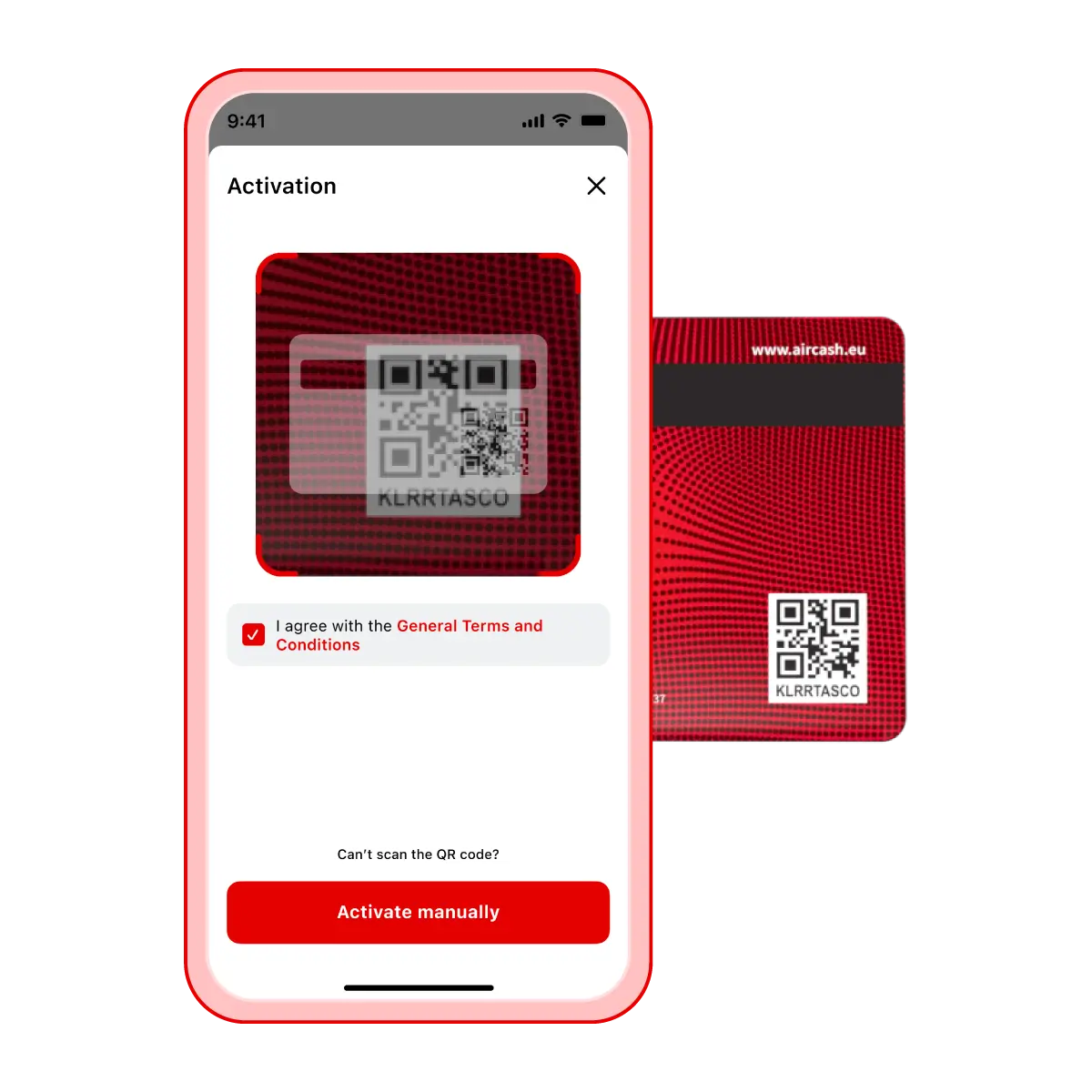
Buy your Aircash Mastercard at one of our partner locations
Open the Aircash app and, on the home screen, tap “Aircash Mastercard”
Tap “Activate Aircash Mastercard”
Scan the QR code on the back of the card (if you’re unable to scan it, manually enter the code found below the QR code)
Your card is instantly active and ready to use
After activating your card, set up your PIN right away
You can also assign a custom name to your card and set spending limits
Tip
You can find Aircash partner locations directly in the app by tapping Aircash Mastercard.
Important
Your card is automatically linked to your Aircash wallet balance in the card’s currency. To pay with your card, first top up your Aircash account.