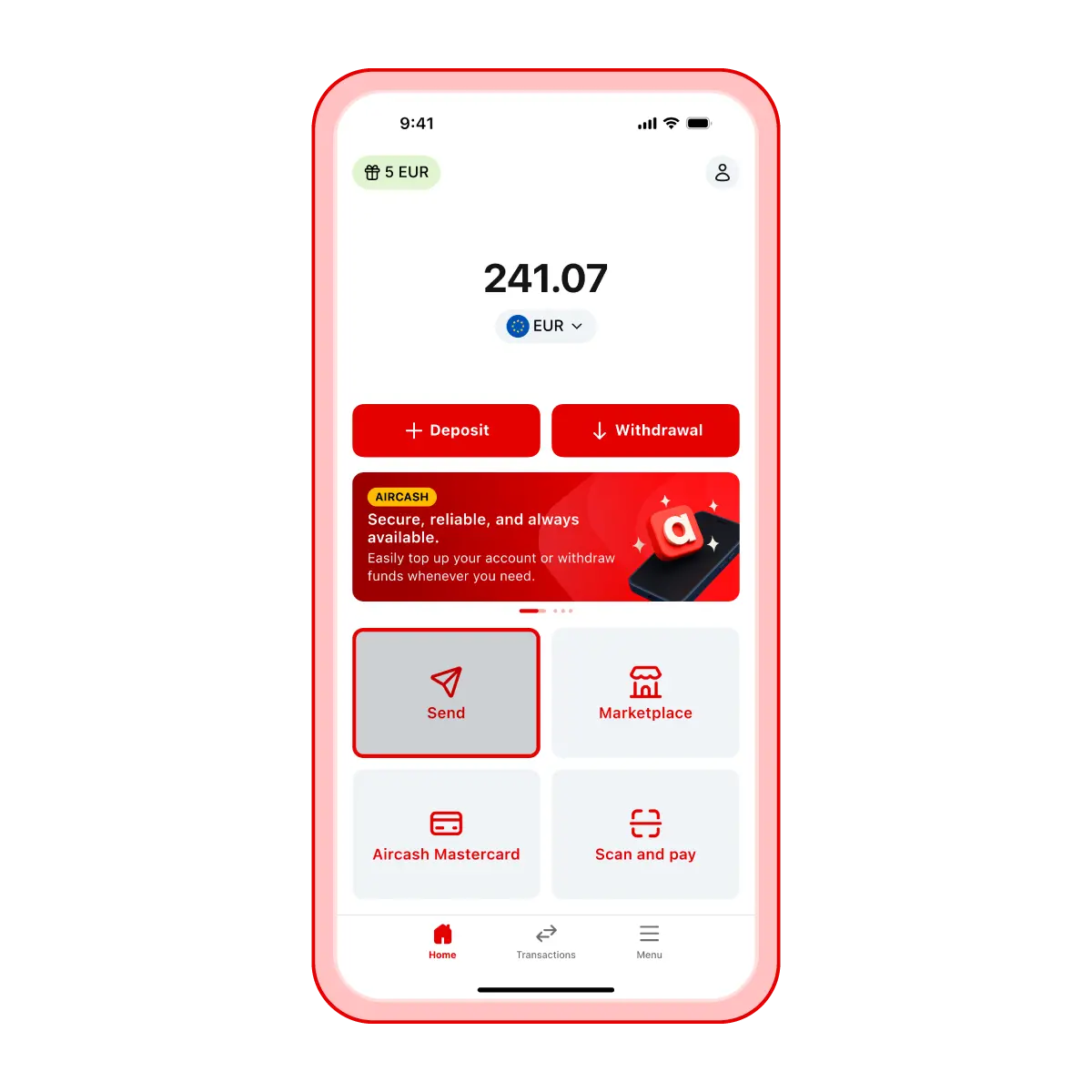
Select SEND and enter the recipient
On the app’s home screen, tap Send
Choose the recipient from your contact list or manually enter their mobile number by tapping Add new number
To display contacts from your phone book, allow the Aircash app to access your contacts
Contacts who already use Aircash will appear at the top of the list
Please note
You can also send money to someone who doesn’t yet have the Aircash app. However, if the recipient doesn’t register and verify their identity within 72 hours, the transaction will be cancelled and the funds will be returned to you.
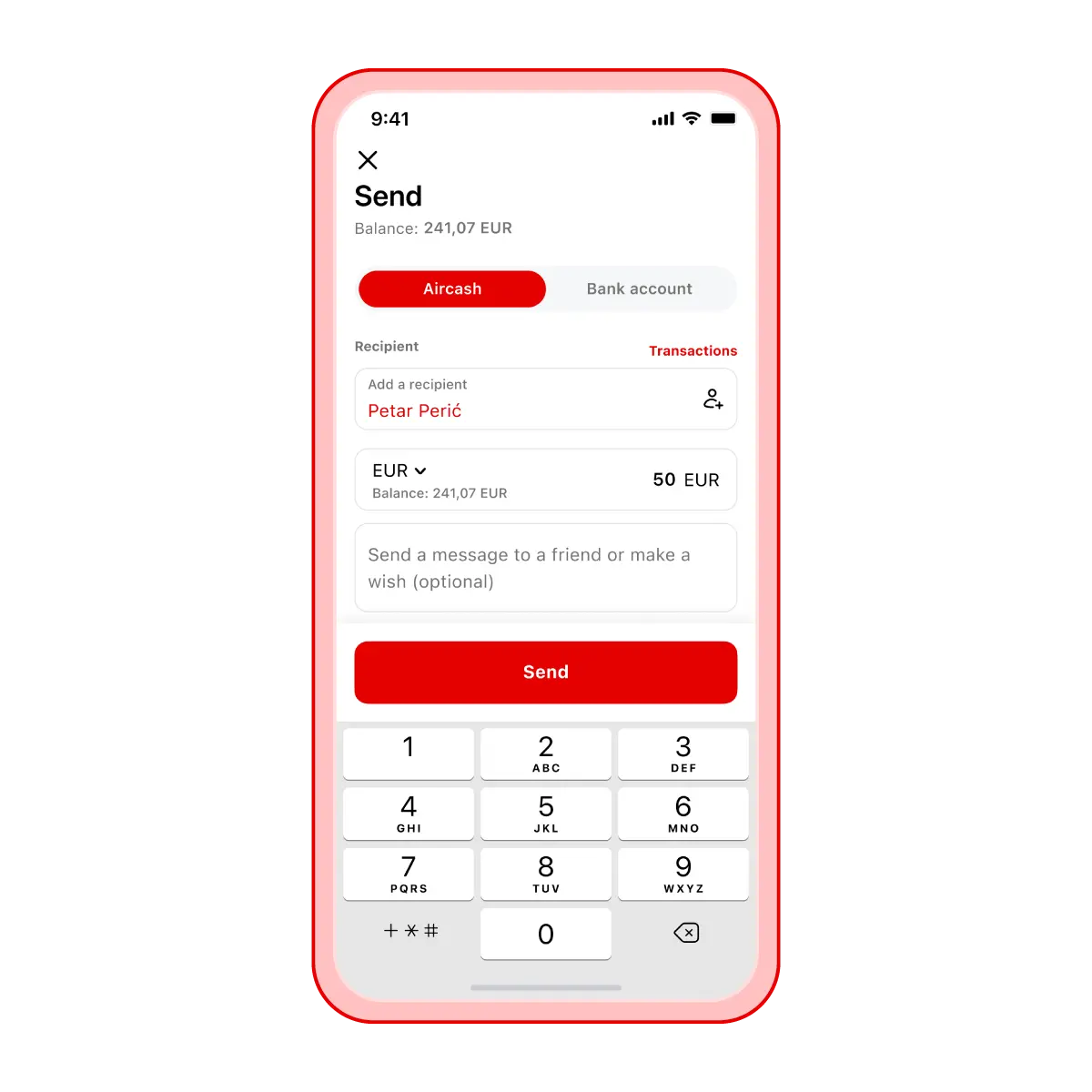
Select the currency and enter the amount
If you send euros, the recipient will receive euros even if that isn’t their primary currency
There is no automatic currency conversion when sending money
You can convert the amount manually before sending and transfer it in the currency you prefer
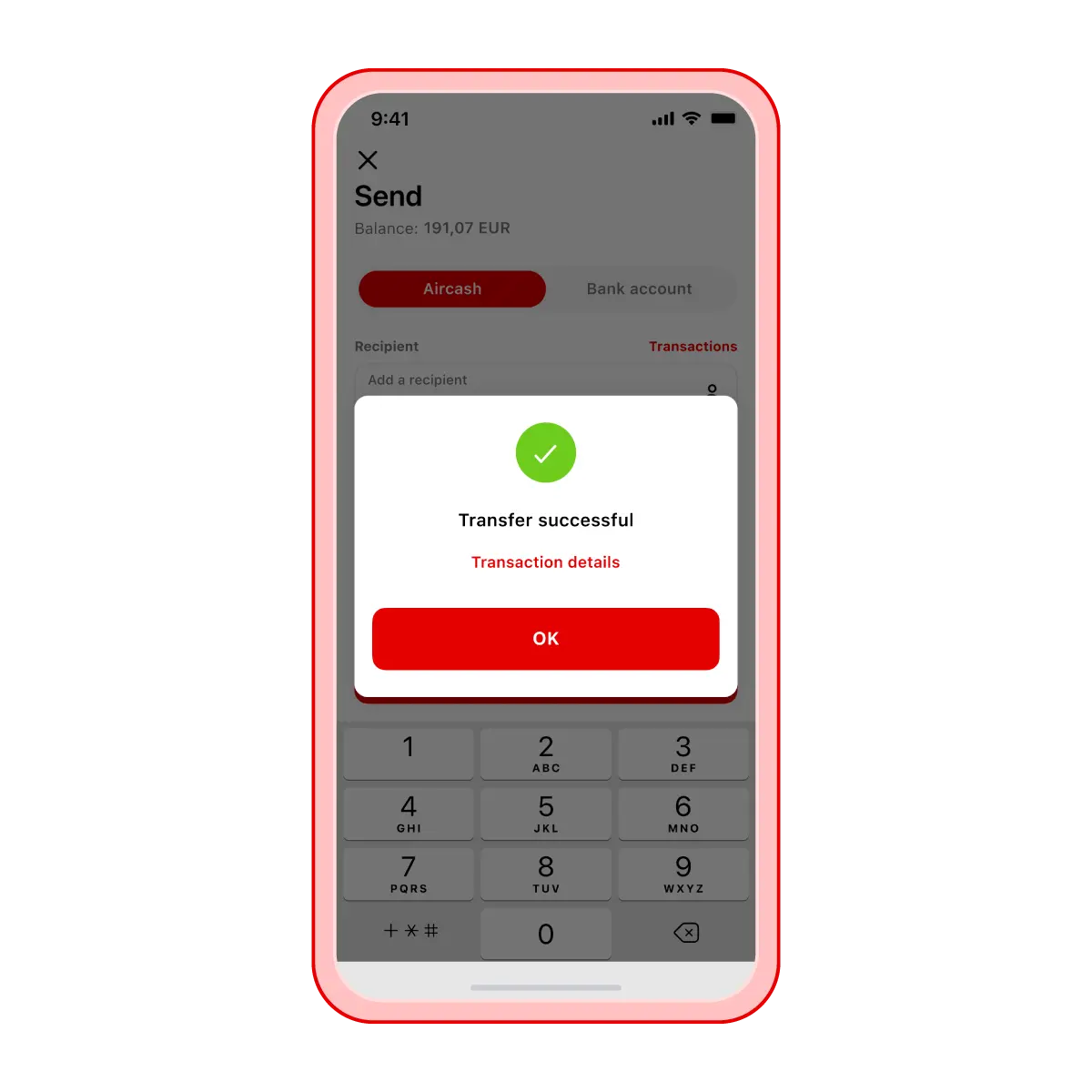
Send
Review the recipient and the amount before sending
Transfers cannot be cancelled once sent
If you send money to a number not linked to an Aircash account and the recipient doesn’t register and verify their identity within 72 hours, the funds will automatically be returned to your account