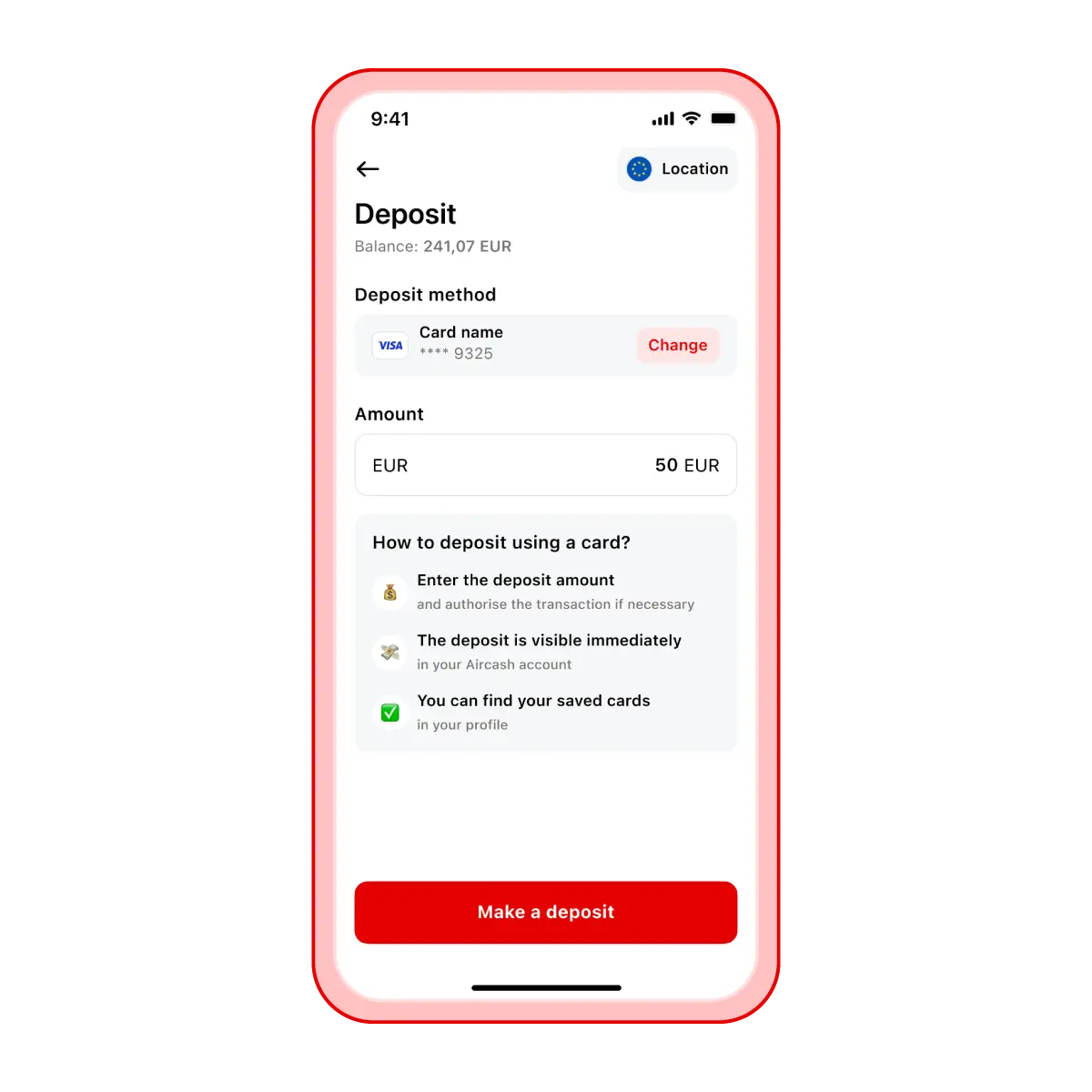
Top up via bank card
Supported cards: Visa, Mastercard, Maestro, Diners, JCB, Discover
Steps to top up by card:
Open the Aircash app and select Deposit.
Tap Card.
Enter the amount you want to top up.
If you haven’t added a card yet, tap Add card and enter your details.
Authorise the transaction with 3D Secure if required.
The money will be available instantly in your Aircash app.
Please note: If you’ve already added a card, it will remain saved for future top-ups.
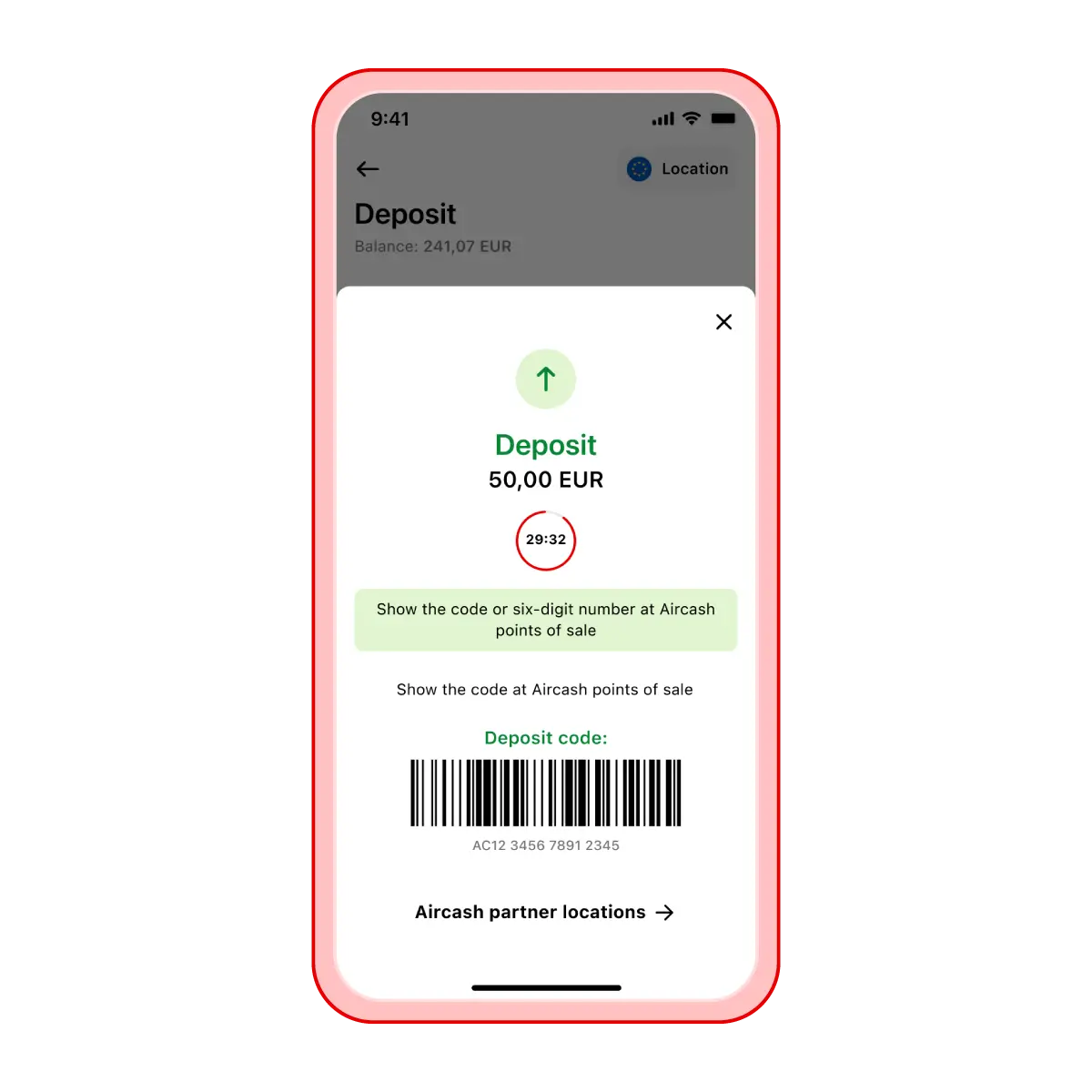
Top up with cash
Where can I top up with cash? You can add money to your Aircash account at the following locations:
Tisak and iNovine kiosks
INA and Tifon petrol stations
Steps to top up with cash:
Open the Aircash app and select Deposit.
Tap Cash.
Enter the amount you want to top up – a barcode will be generated.
Show the barcode to the cashier at any partner location.
Pay in cash, and the cashier will scan your code.
The money will be available instantly in your Aircash app.
Tip
You can find Aircash partner locations directly in the app by tapping the link below the barcode.
Find the nearest location
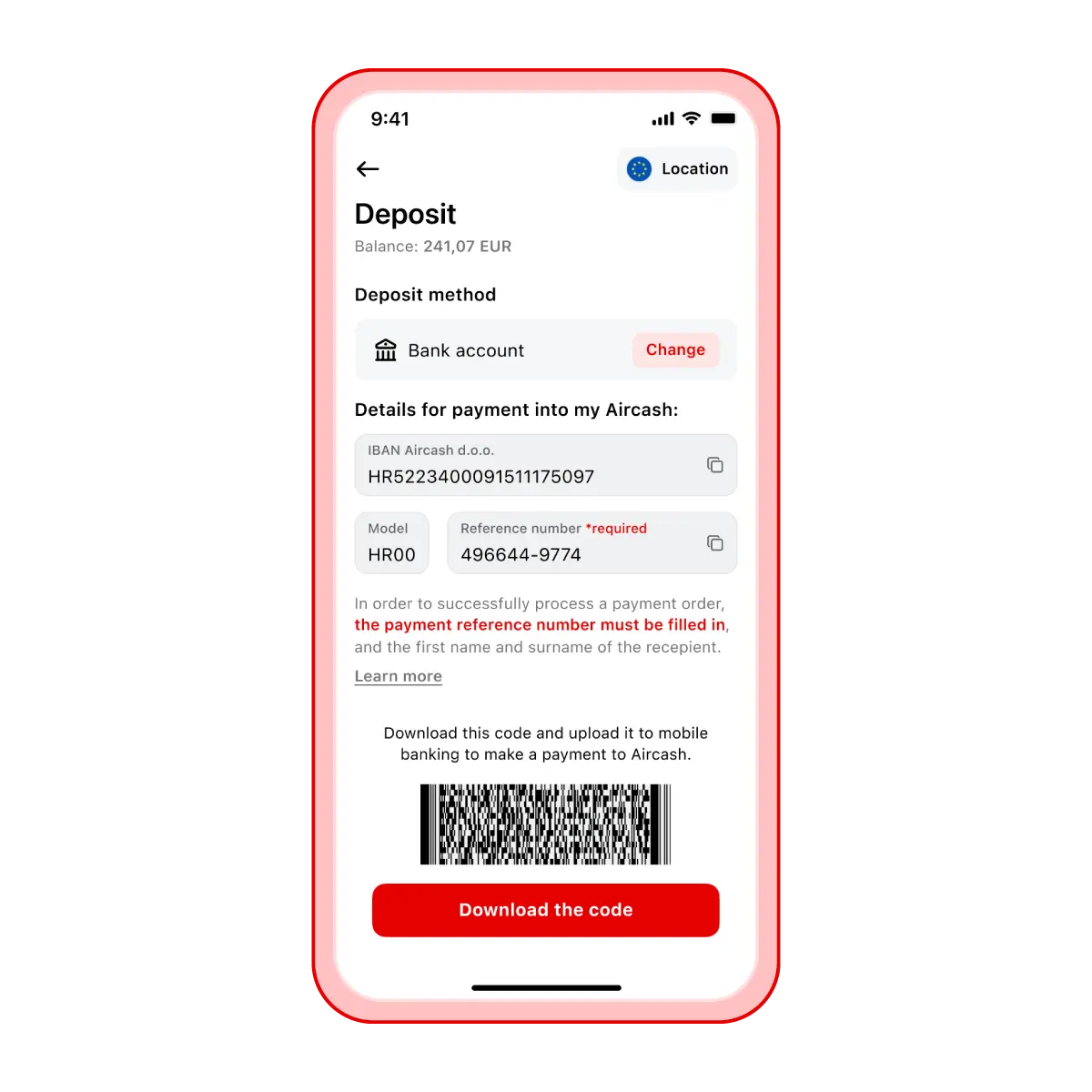
Top up via bank account (IBAN)
If you want to transfer money directly from your bank account to Aircash, follow these steps.
Steps to top up via IBAN:
Open the Aircash app and select Deposit
Tap Bank account
You’ll see the payment details displayed:
IBAN Aircash d.o.o.
Model: HR00
Reference number
Download the barcode and scan it in your mobile banking app, or enter the details manually into your banking app or payment slip.
In addition to euros, you can make deposits in other currencies available in the app. To check available currencies, tap the currency displayed under your account balance on the Aircash home screen.
Don’t forget!
To ensure your payment is processed correctly, make sure you enter the model and the correct reference number. If this information is incorrect, the payment will be returned to the originating account.
If your banking form doesn’t include „Model" or „Reference number" fields, enter this information – together with the recipient’s name – in the „Payment description" or „Reference" field.
When the money will be available depends on the payment method selected in your mobile banking app.
Instant payments:
Payments between 06:00 and 21:00, the money arrives within 1 hour.
Payments between 21:00 and 00:00, the money arrives within 2 hours.
Payments between 00:00 and 06:00, the money arrives shortly after 06:00.
Regular payments:
Payments made after 15:00, the money will arrive in your Aircash account on the next business day.
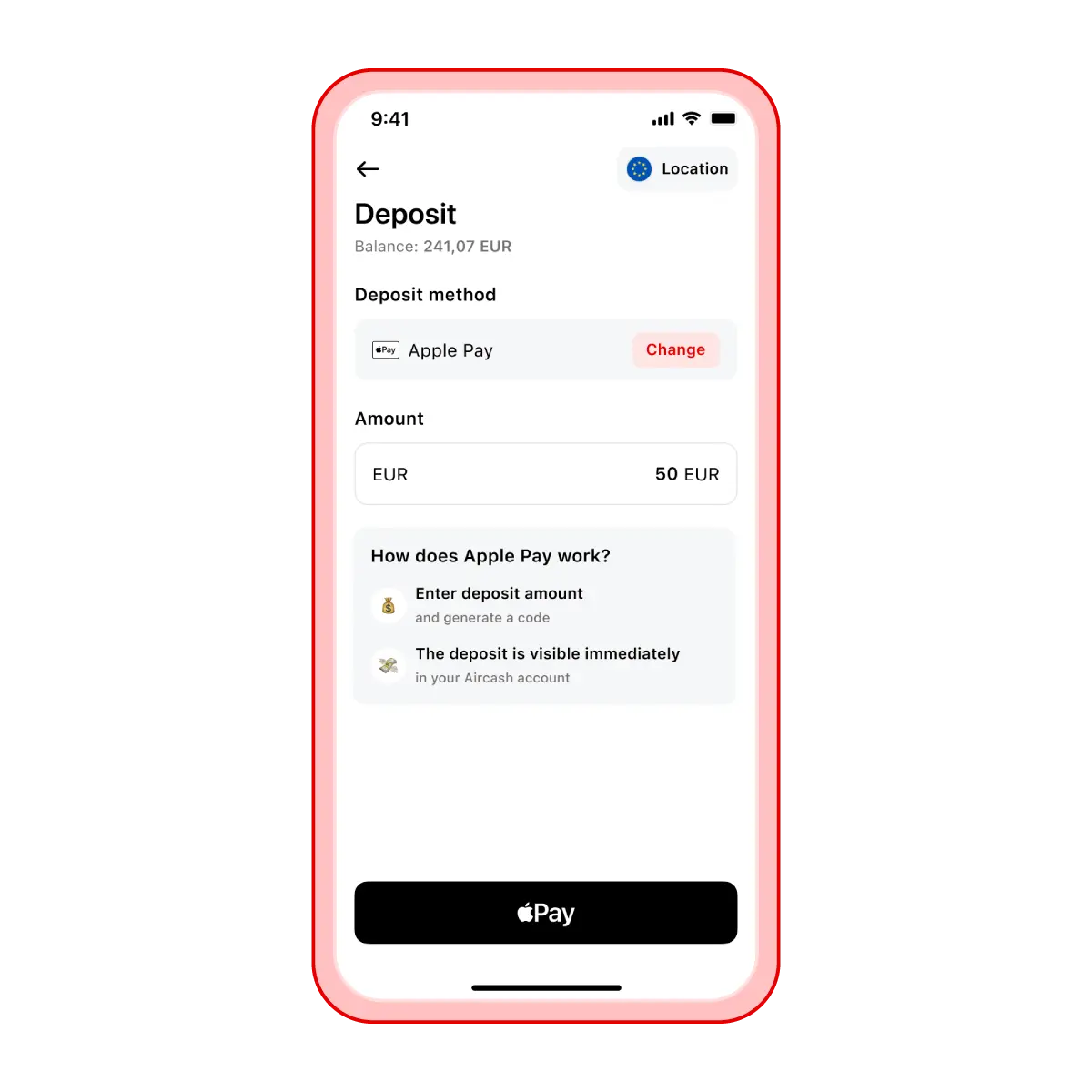
Top up via Apple Pay
If you have Apple Pay activated on your iPhone, you can add money to your Aircash account with a single tap.
Steps to top up:
Open the Aircash app and select Deposit.
Tap Apple Pay.
Enter the amount you want to top up.
Confirm the transaction.
The money will be available instantly in your Aircash app.
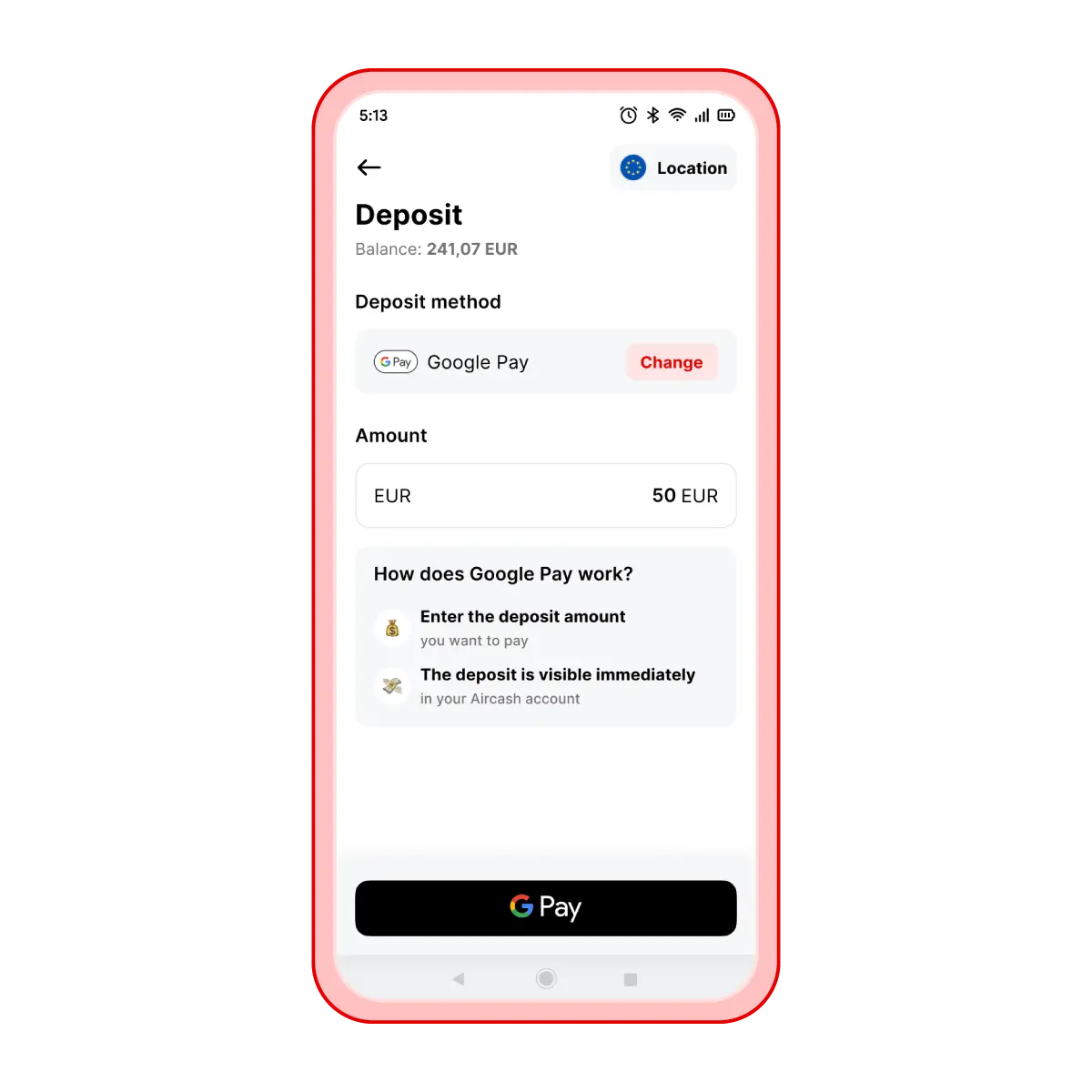
Top up via Google Pay
If you have Google Pay activated on your phone, you can add money to your Aircash account with a single tap.
Steps to top up:
Open the Aircash app and select Deposit.
Tap Google Pay.
Enter the amount you want to top up.
Confirm the transaction.
The money will be available instantly in your Aircash app.