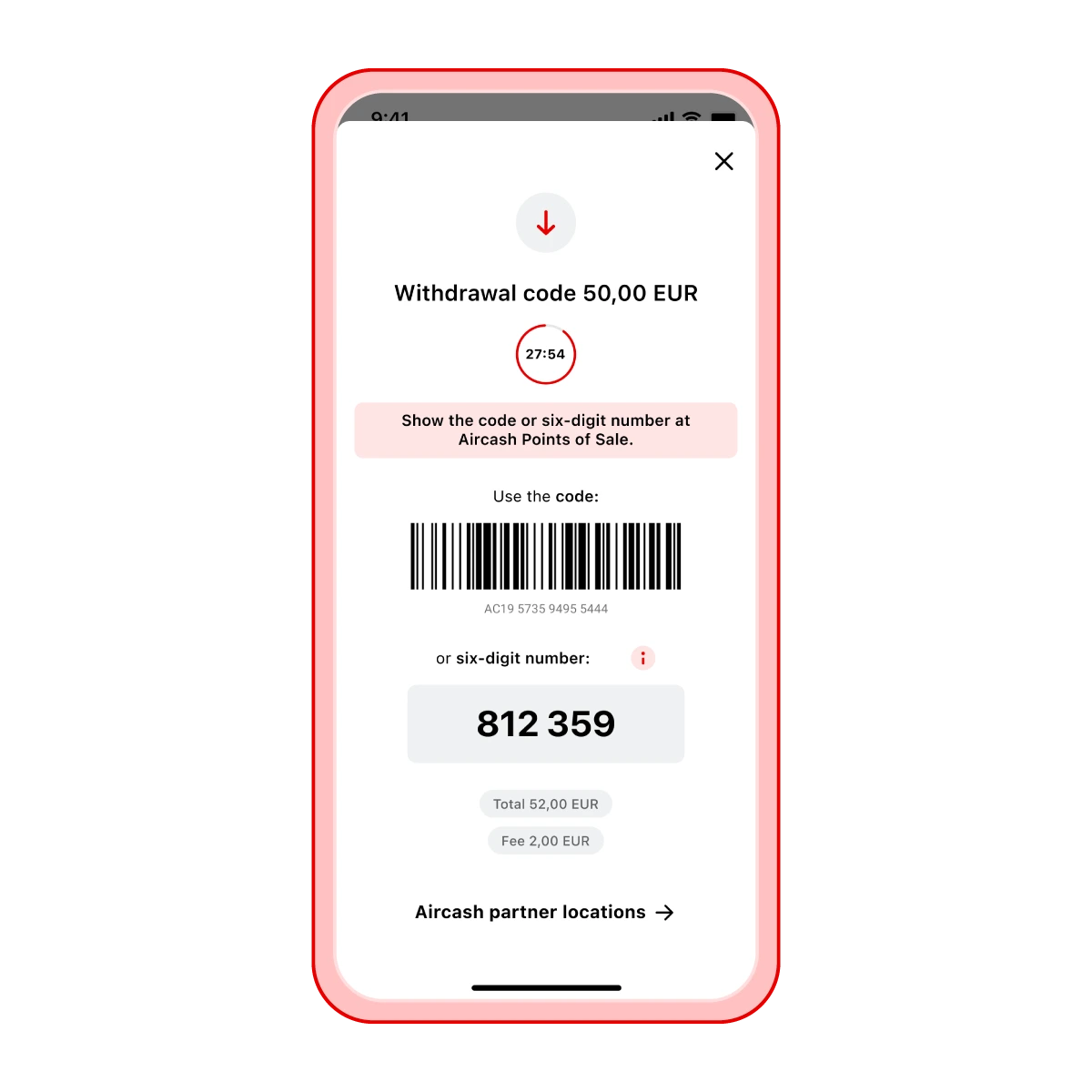
Cash withdrawal at retail locations
Where can you withdraw cash? You can withdraw money from your Aircash account at the following locations:
WinPay, MBSnet, MrPay and Rapicom partner locations
Steps for cash withdrawal:
Open the Aircash app and select Withdrawal
Tap Cash
Enter the amount you wish to withdraw and generate a withdrawal code
Show the barcode to the cashier at any partner location
The cashier will scan the code and give you the cash
The money will be available to you immediately
Tip
You can find Aircash partner locations directly in the app by tapping the link below the barcode.
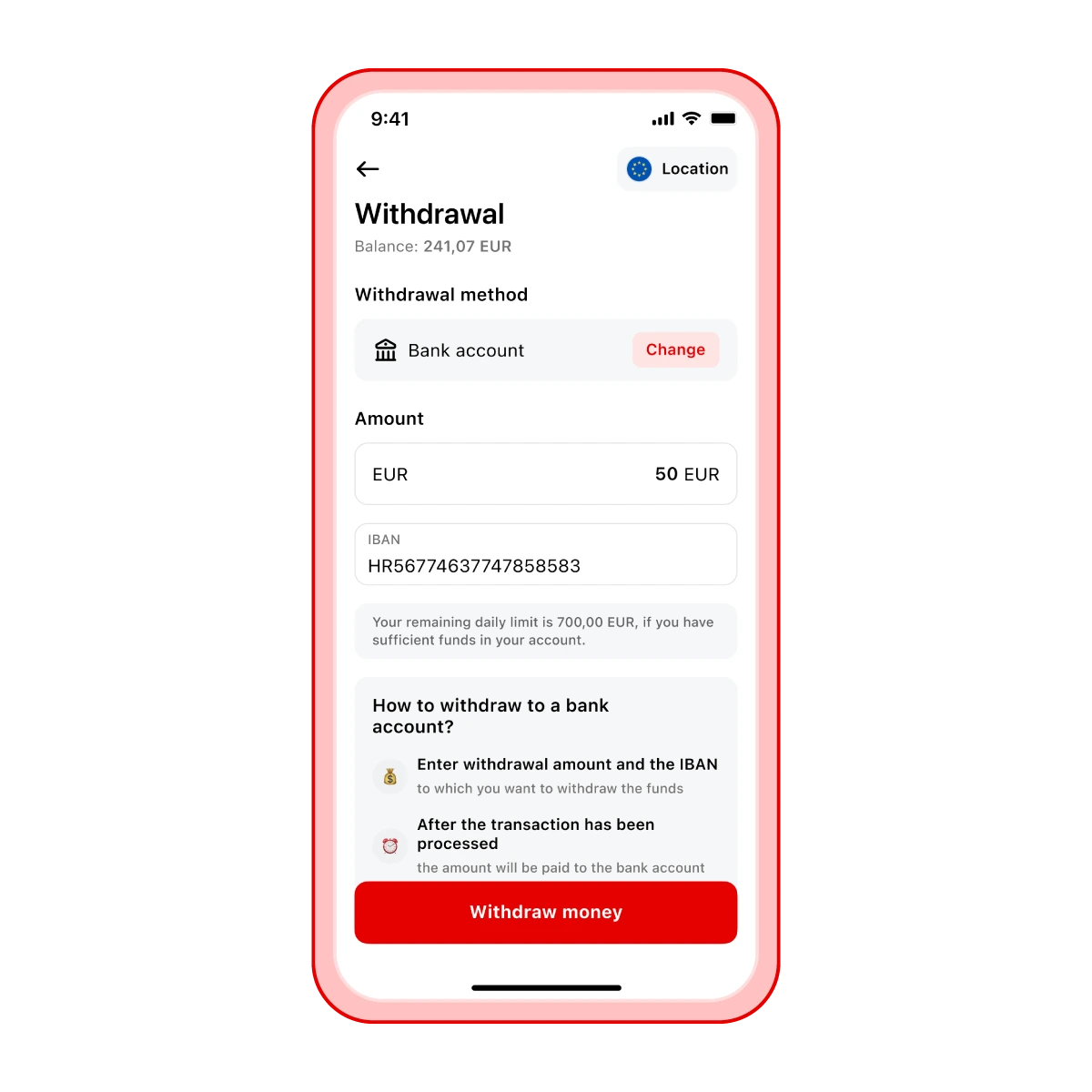
Withdrawal to a bank account (IBAN)
Steps for withdrawing to an IBAN:
Open the Aircash app and select Withdrawal
Tap Bank account
Enter the amount and your bank account number (IBAN)
Tap Withdraw
The money will appear in your bank account no later than the next business day, but it usually arrives within a few minutes